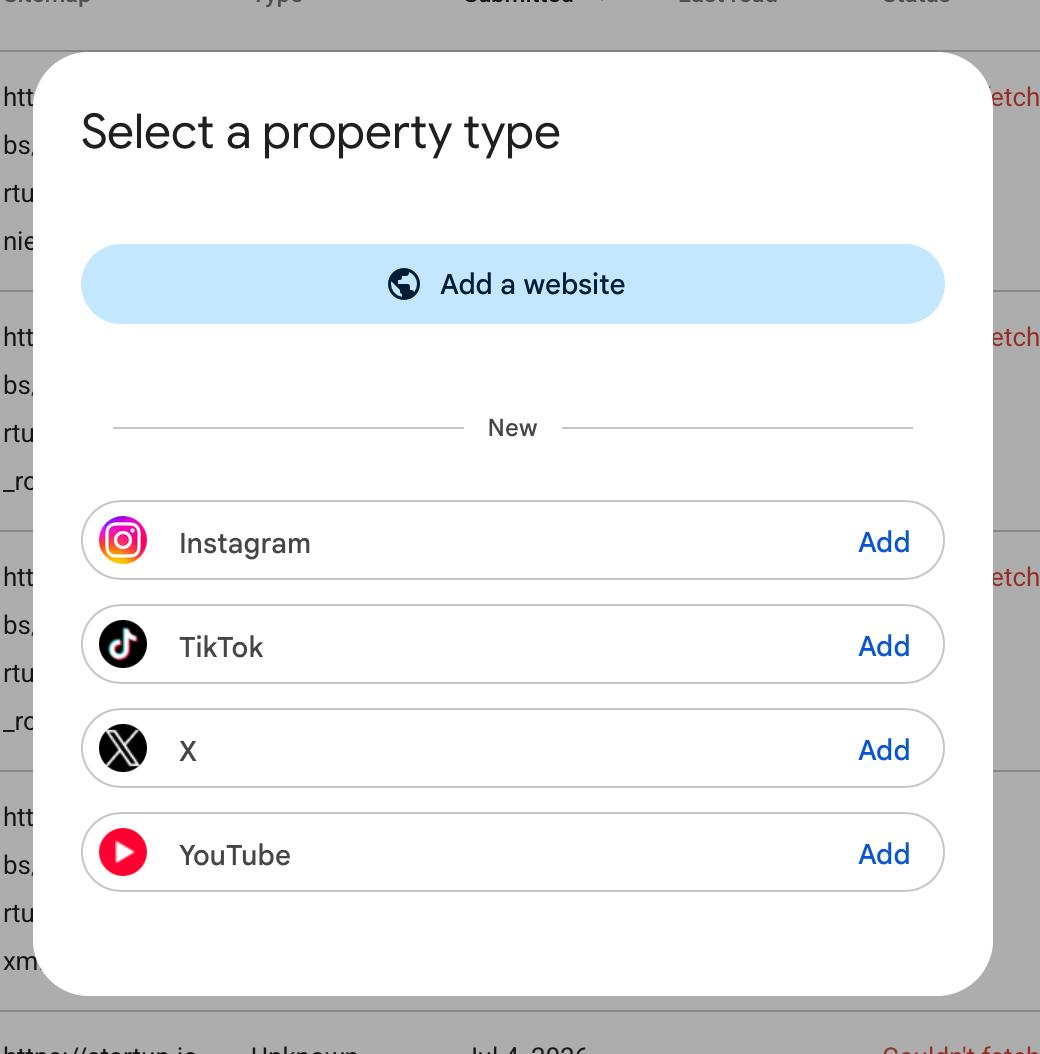
Google Search Console can now show how content from an Instagram, TikTok, X, or YouTube account is found on Google. Google calls each connected account or channel a platform property.
The simplest way to understand the feature is:
It measures what happens on Google. It does not manage the social account or replace the platform's own analytics.
Adding a platform property lets you answer questions such as “Which Google searches found this video?” and “Which Instagram posts received clicks from Google?” It does not tell you how many people saw the content in Instagram's feed, TikTok's For You feed, X, or YouTube itself.
Google announced global availability on July 29, 2026. Each account or channel must be added and verified separately.
The four supported platforms
Search Console currently supports:
- Instagram accounts;
- TikTok accounts;
- X accounts;
- YouTube channels.
One property represents one account or channel. Connecting a brand's Instagram account does not automatically combine it with the brand's TikTok or YouTube data. Add each account separately when you want to measure it.
What it will do
After you verify the account, Search Console will collect reporting data about that account's content when it appears on supported Google surfaces.
- Count how often an eligible profile, post, Story, or video appeared on Google.
- Count how often someone clicked the content from a Google result.
- Show the Google searches people used to find the content, subject to Search Console's privacy limits.
- Show which posts, videos, profile pages, playlists, or other supported URLs received Google traffic.
- Break down the available data by date, country, device, search term, and content URL.
- Provide Google Search data and, when the account receives eligible traffic, separate Discover and Google News reports.
- Highlight recent traffic changes, leading content, search themes, and audience countries in Insights.
- Record click-based growth milestones in Achievements.
- Export Performance report data for analysis outside Search Console.
The Performance report includes clicks, impressions, click-through rate, and average position where that metric applies. The default view is 28 days, but a newly added property only contains the data Google has collected since setup.
What it will not do
Connecting an account is a reporting action. Google's documentation does not describe it as a publishing, indexing, or ranking control.
- It will not show views, likes, comments, shares, saves, followers, or watch time from inside a social platform. Use the platform's own analytics for those numbers.
- It will not publish, edit, schedule, pin, or delete posts. Use the social platform or a publishing tool for content management.
- It will not submit every social post for indexing. Google continues to discover and evaluate public content through its own systems.
- It will not guarantee that content appears on Google. Verification gives you reporting access, not an indexing guarantee.
- It will not improve rankings simply because you connected the account. Google describes the feature as performance reporting and traffic insights.
- It will not combine every social account into one property. Add and review each account or channel separately.
- It will not explain exactly why Google ranked or recommended a post. The reports show performance, not the complete reasoning behind Google's systems.
- It will not prove that a click became a sale, lead, or subscriber. Use web, app, or conversion analytics to measure what happened after the click.
A post can be popular inside TikTok and receive almost no Google traffic. It can also be old or quiet inside a platform while gaining new Google Search interest. These reports measure a different part of the audience journey.
What counts as an impression or click
Search Console uses Google's result interactions, not the social platform's definitions.
- An Instagram Story shown in Google Search counts as an impression. A click on that result counts as a Search Console click.
- A video shown in Search or Discover counts as an impression.
- A video click still counts when the video opens inside a Google viewer instead of immediately opening the platform's website or app.
For that reason, a Search Console click is not always the same as a referral session recorded by a website or social platform.
Which reports you will see
Performance
Use Performance for detailed clicks, impressions, CTR, position, queries, content URLs, countries, devices, dates, and available Google surfaces. Discover and Google News reports appear only after the property receives reportable traffic from those surfaces.
Insights
Use Insights for a simpler summary of recent traffic, top content, query groups, and audience countries. One important detail: its top summary can include clicks from several Google search types, while some detailed lists focus on Web Search. The smaller cards therefore may not add up to the headline total.
Achievements
Achievements records click milestones. It is useful for noticing growth, but it does not explain why the growth happened or whether the traffic achieved a business goal.
What happens when you connect an account
- Open the property selector in Search Console and choose Add property.
- Select Instagram, TikTok, X, or YouTube.
- Follow Google's prompts to prove that you control the account or channel.
- Repeat the process for every other account you want to measure.
- Allow a few days for the first data to appear.
Google documents verification through an existing website connection or a direct platform login, depending on the account and setup. For security, Google checks ownership again periodically. If the external login expires, report access pauses until you verify again. Reverification restores the existing report; it does not start a new property from zero.
Platform property versus Search Profile
A platform property is the reporting view described on this page. A Google Search Profile is a separate creator-facing profile that can bring information and content from several platforms together on Google.
You do not need a Search Profile to add a supported platform property. If you already claimed a Search Profile, Google says its verified social accounts should be added automatically as Search Console properties.
Should you add your accounts?
Add them when you want to understand whether Google is becoming a meaningful discovery channel for your social or video content. The reports are especially useful for:
- finding topics and search terms that lead people to your posts;
- noticing a new or older video gaining Google traffic;
- comparing short-form and long-form content;
- comparing performance across countries or devices;
- deciding what to update, republish, cross-promote, or expand.
Keep using the platform's native analytics alongside Search Console. Search Console explains discovery on Google; native analytics explains consumption and engagement inside the platform.
SearchConsole.ai and API availability
Google's July 2026 documentation confirms the Search Console reports and manual exports. The public Search Console API documentation does not yet explicitly describe platform-property identifiers or guarantee that these properties are returned through every API method.
If Google exposes a verified platform property through the Search Console API, SearchConsole.ai can use the exact property identifier for Search Analytics reporting. Sitemap and URL Inspection tools are website-oriented and should not be expected to work for a social platform property.
Until Google documents API support explicitly, verify one connected account with list_properties before relying on automated reporting.
For the full metric definitions, reporting caveats, and analysis workflow, read the detailed platform properties reference.