Use search terms that already show your page in Google. Find one relevant term that the page does not cover clearly.
Allow 2–5 minutes to check one page. The content change can take longer.
1. Open the Pages tab
Open Google Search Console (GSC) and select your website. Open Performance, or Performance → Search results.
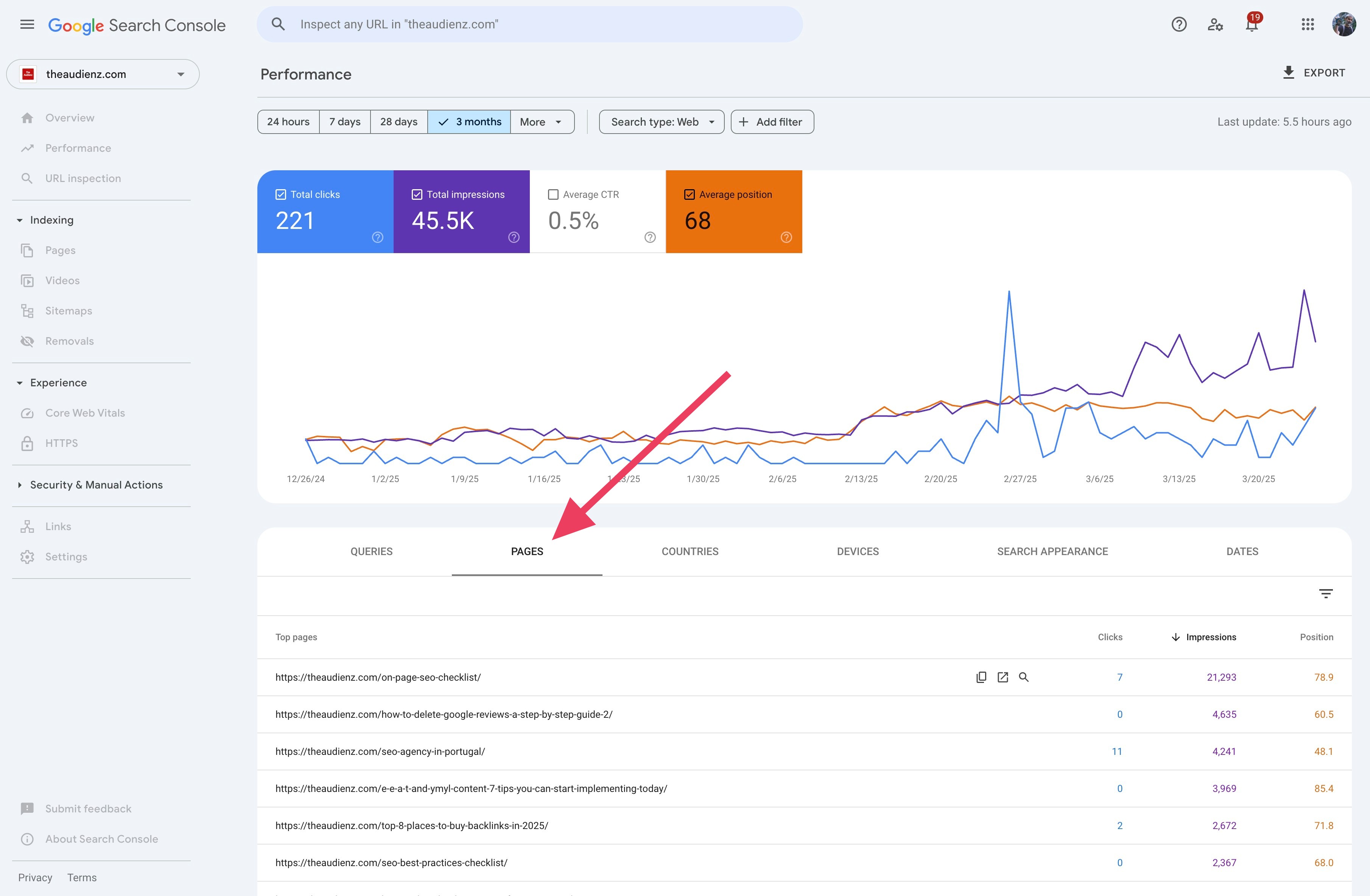
Select 3 months and Search type: Web. Enable Total impressions and Average position. Click the Pages tab below the chart.
2. Sort by impressions
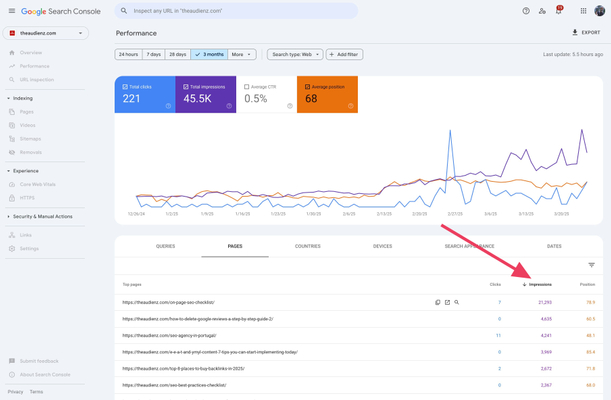
Click Impressions until the largest values appear first. Select one page from the table to filter the report to that URL.
3. Check the queries and their positions
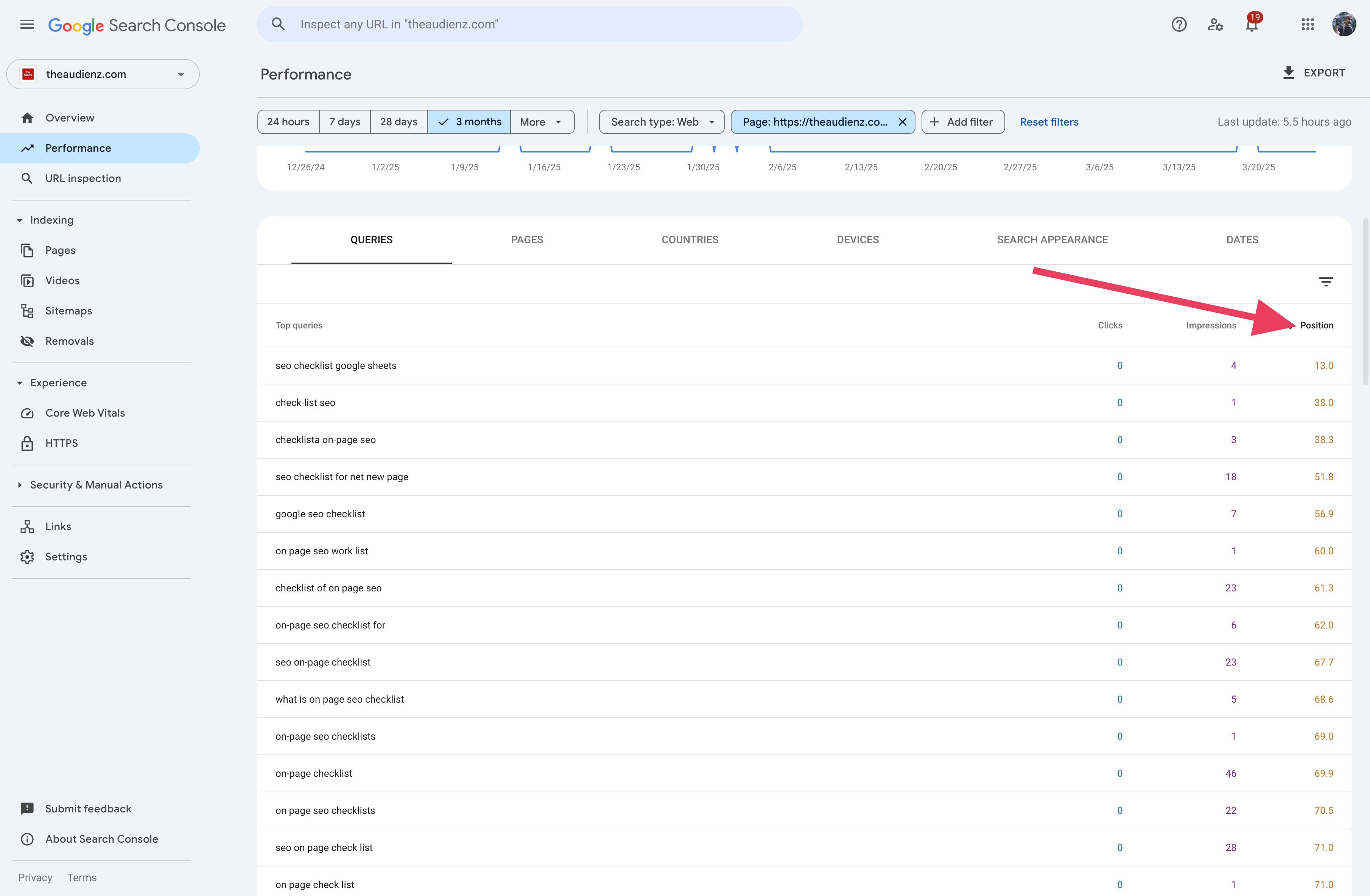
Click Queries. These are the search terms that showed the selected page. Sort Position so the smallest values appear first.
Start with relevant queries whose average position is closest to 1. A smaller number means a higher position. This is an average, not a fixed rank. See Google's explanation of average position.
4. Add one missing term where it helps
Read the page. If a relevant query is missing, use its words naturally in a heading or a useful sentence.
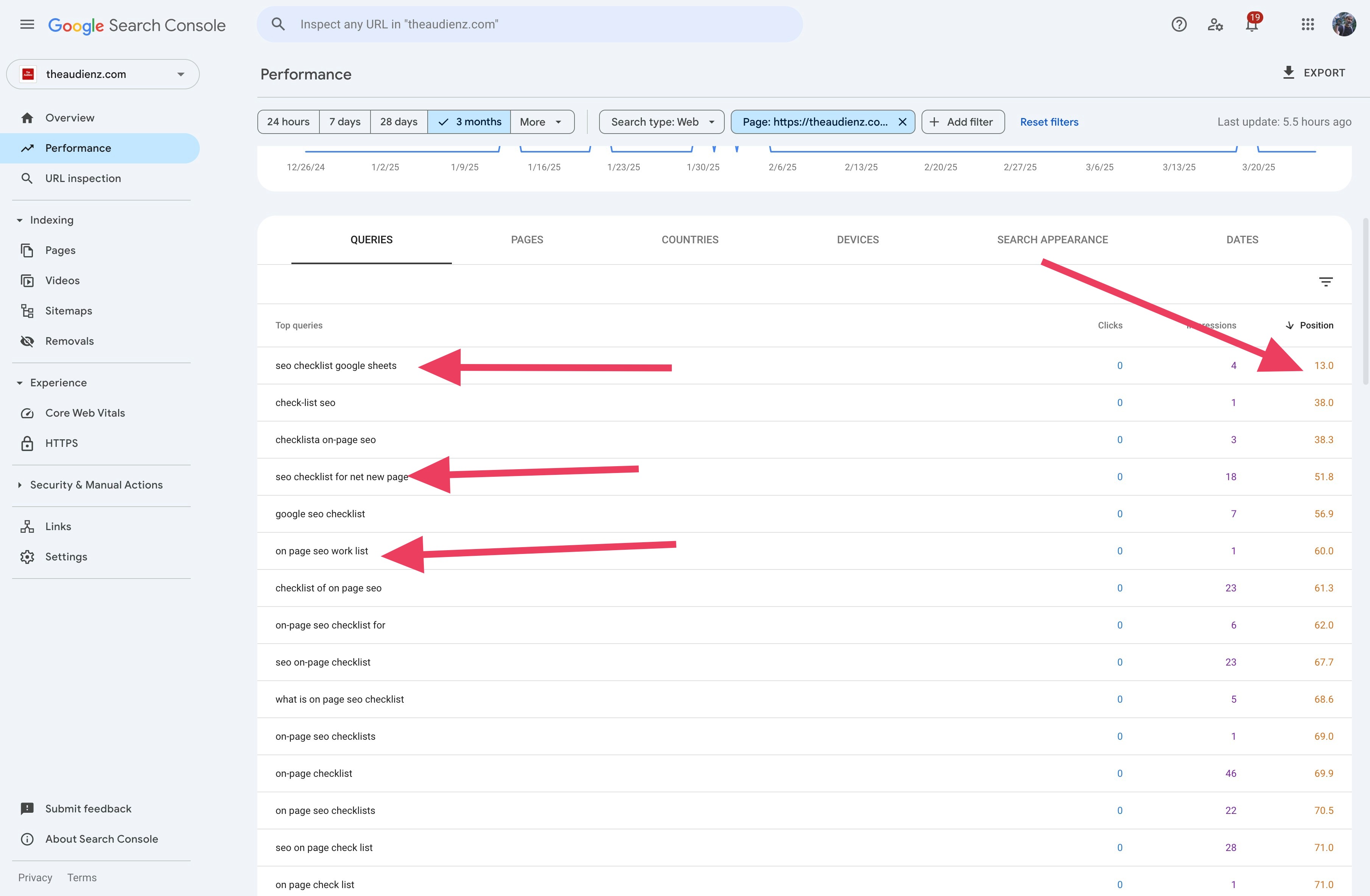
The example highlights “seo checklist google sheets” at position 13.0. It has only four impressions, so treat it as an initial check.
If the page provides a Google Sheets checklist, describe it clearly. Do not add words for a feature that does not exist.
Save the change and record the date. Repeat for another page. Check clicks and impressions again after Google has processed the change.
Do the check with SearchConsole.ai
Connect SearchConsole.ai to your AI assistant, then use this recipe:
Use SearchConsole.ai to check [my property] for simple keyword improvements. Use the last 90 complete days of Web search data. Show the dates. Find five pages with the most impressions in the returned data. Get the queries for each page. Show impressions, clicks, and average position. Start with relevant queries whose average position is closest to 1. Read each page before you identify a missing term. If you cannot read a page, ask me for its text. Suggest one useful heading or sentence for each confirmed gap. Use the query words naturally. Flag queries with few impressions. Return the page URL, query, metrics, and suggested edit.
By Flavio Amiel